Your quick start.
Set up once. Then check your enquiries when it suits your day.
Add your business.
Open Business settings. Add the name and contact details customers should see, then save your quotation terms.
Next, open Your prices and save your window and carpet rates. House cleaning uses your price after assessment.
Open Customer form, add your logo and choose Preview customer form. Check everything before sharing your link.
Open the customer’s name.
Choose Enquiries. You’ll see their contact details, the work they need and their comments together.
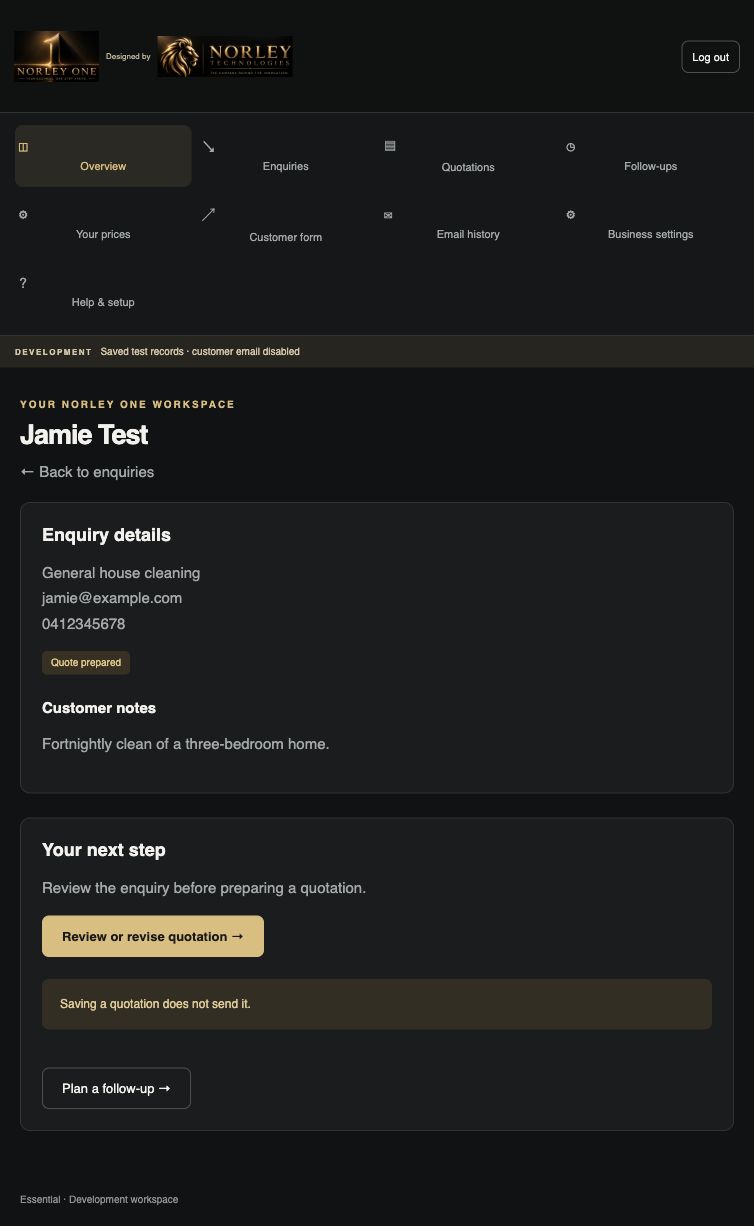
Standard window and carpet proposals use your saved prices. If you see Assessment required, assess the work and enter your price and inclusions.
Check the exact quotation.
Save the quotation and choose View saved preview. Check the customer, included work and total.
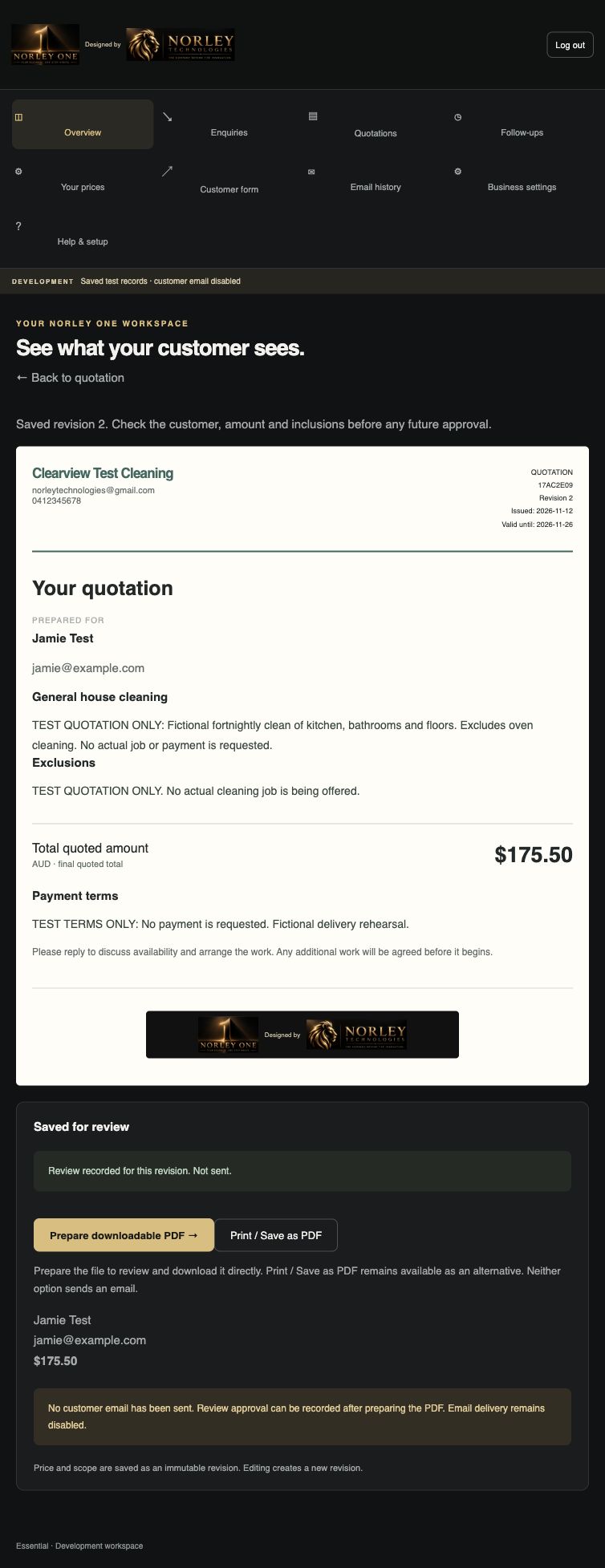
Choose Prepare downloadable PDF, then Record review approval. This saves the review; it does not send an email.
Sending has a separate approval. Read the actual recipient and amount, then confirm only when they are correct.
See what happened next.
Open Email history to check delivery. A delivery update does not mean the customer has read the email. If the outcome says to check delivery, ask support before sending another copy.
Choose Plan a follow-up on the enquiry to save a date and note. Your reminders appear in Follow-ups.
Need a hand?
Open Help & setup in the workspace, or email norleytechnologies@gmail.com. Tell us the screen and what happened. Never send your password or card details.